




01 / PYTHON, CLI & AI
Python, CLI & AI
Automate tasks using Python and CLI in Sumo and concrete modules. Work through MCP-compatible AI assistants and review results within PROKON.

PROKON / 5.4
From structural analysis and design to detailing. One connected environment for your next structure.
01 / PROKON 5.4
Version 5.4 extends automation, develops analysis capabilities and connects the stages of your workflow.
01 / PYTHON, CLI & AI
Automate tasks using Python and CLI in Sumo and concrete modules. Work through MCP-compatible AI assistants and review results within PROKON.
02 / ADVANCED SUMO ANALYSIS
Extended nonlinear analysis for large displacements, plasticity, instability and contact or gapped support conditions.
03 / A MORE CONNECTED WORKFLOW
Updated Prodesk for Revit, boundary condition export to Sumo and a new import dialogue. Hilti catalogue in Anchor Bolt.
02 / SOLUTIONS
Explore solutions by discipline. Choose the category that matches your engineering work.
PROKON / SUMO
Sumo connects your three-dimensional model with structural analysis and design applications.
Explore the solution ↗
PROKON / CONCRETE
Applications for reinforced concrete member design and calculation documentation.
Explore the solution ↗
PROKON / STEEL
Check steel members and connections using tools focused on specific design tasks.
Explore the solution ↗03 / PACKAGES & LICENSING
Start with your projects. Together we select the package, detailing option and licence configuration.
PROKON 5.4
Broad analysis and design coverage: concrete, steel, composite, masonry and timber, with detailing and BIM options.
PROKON 5.4
Analysis, concrete and steel, with a choice of detailing tool and Prodesk connectivity. We confirm the exact configuration in your quotation.
PROKON 5.4
A focused configuration for specific design needs. Tell us which applications and how many users you need.
04 / TRAINING & VIDEOS
Presentations from the EASYCAD channel and structured training through PROKON Academy.
EASYCAD library video: may show an earlier version. This is not a presentation of new 5.4 features.
Training & videos ↗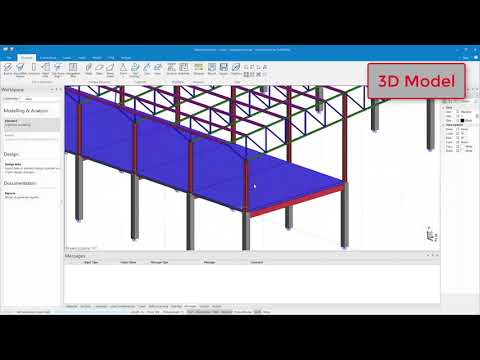 0:38
Analysis · EASYCAD
05 / EASYCAD
Guidance on selection, installation and activation, with technical support from EASYCAD.
Support ↗Tell us your structure types, required design codes and number of users. We will help identify a suitable application configuration.
The manufacturer offers a 14-day trial. Complete the form and EASYCAD will guide you through installation and evaluation.
EASYCAD provides guidance and support. PROKON Academy courses are also available. Training details are confirmed separately.
EASYCAD / PROKON
Tell us what you need. We will help you choose PROKON applications, a package and a licence.